


Google Flights is one of the most powerful free tools for finding cheap airfare, but most people only use the basic search. The features that actually save you the most money are buried a few clicks deeper. Here is how to use them properly. For more background, see Wikipedia reference.
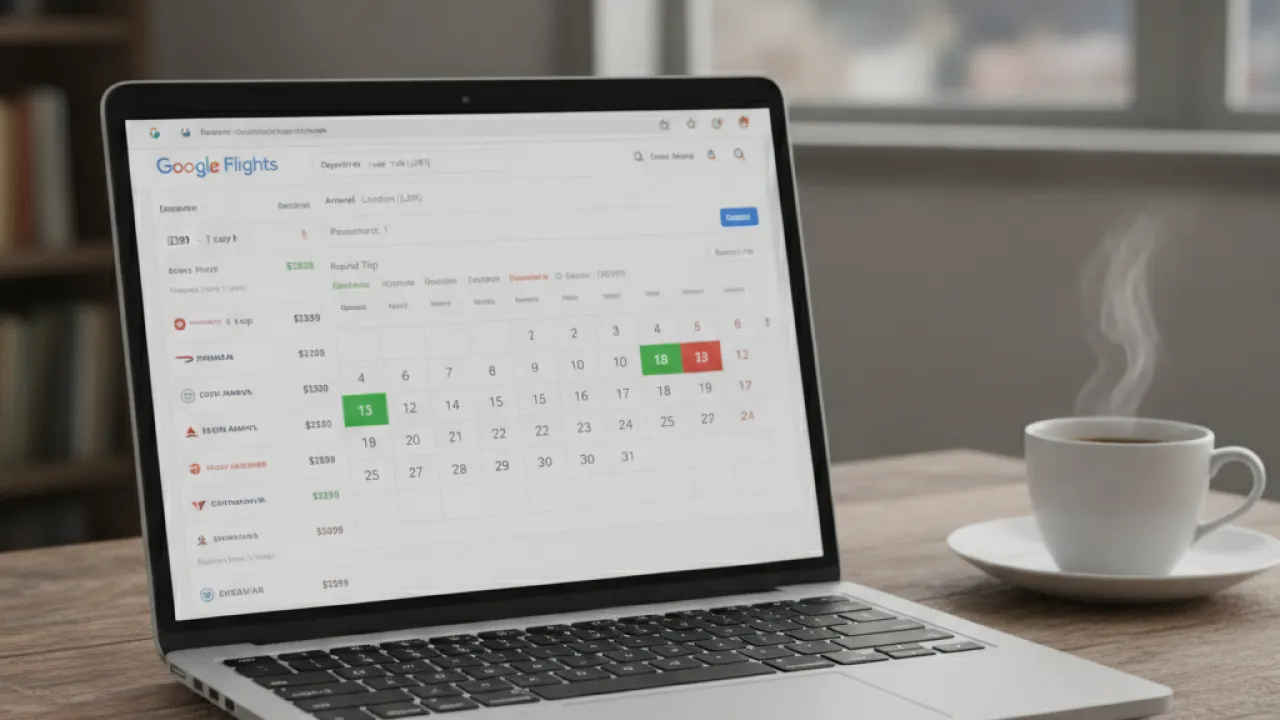
What Google Flights Is and Why It Is Useful
Google Flights is a flight search tool that pulls data from hundreds of airlines and booking sites. It is not a booking platform itself. You search on Google Flights, find the best option, then click through to book directly with the airline or via a third-party site.
The advantage over going straight to an airline website is that Google Flights shows you prices across all airlines at once. You can see how your target route looks across an entire month of dates, compare layover options, and track prices over time without committing to anything.
Google Flights works best for finding the general shape of pricing on a route. If you are flexible on dates or destination, it becomes a genuinely powerful tool. If you know exactly when and where you are going, it is still useful for a quick price comparison before booking.

How to Use the Price Graph to Find the Cheapest Dates
This is the feature that most people miss. When you search a route on Google Flights, there is a Price Graph option visible above the results. Click it and you see a bar chart showing prices across an entire month. Lower bars mean cheaper flights. Taller bars mean more expensive days.
This view makes it immediately obvious when prices spike around weekends, school holidays, or peak travel dates, and when they drop during the quieter parts of the month. A shift of one or two days on your travel date can sometimes save 100 pounds or more on a return flight.
How to Use It
- Go to Google Flights and enter your departure and destination airports.
- Leave the date field flexible or enter your general travel window.
- Click the Price Graph tab in the search results.
- Scan the chart for the cheapest days and hover over each bar to see the exact price.
- Click a cheap date to see available flights on that day.
Combine with the Calendar View
The calendar view shows you prices on a month-at-a-glance grid. Each date shows the cheapest available fare. Color coding highlights the cheapest dates in green and the most expensive in red. This view is better when you have a specific week or two in mind and want to compare day-by-day pricing within that range.
The Flexible Dates Feature
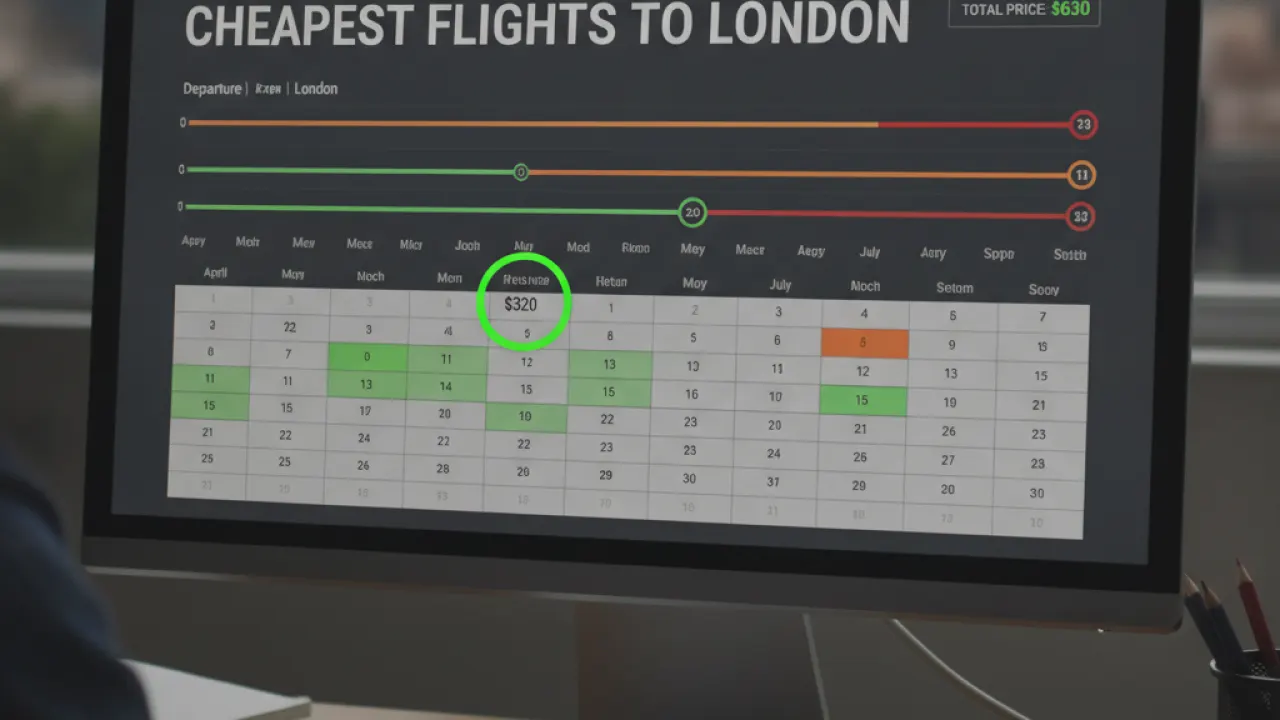
If you have genuine flexibility on when you travel, this feature is where you save the most money. Instead of searching specific dates, you can set your search to show the cheapest options across a range of departure dates. If you are looking to expand your knowledge, reading detailed breakdown of grand city mall dubai provides useful background context. If you are looking to expand your knowledge, reading detailed breakdown of grand city mall dubai provides valuable background context.
To use it, click the date field and look for the option to view flexible dates. You can choose ranges like Weekend, 1 Week, or 2 Weeks. Google Flights then shows you a grid of outbound and return date combinations, with the total round-trip price for each combination. The cheapest combinations stand out immediately.
This is most useful for leisure travel where the goal is to get somewhere cheap rather than to arrive on a specific date. If you are planning ahead for a holiday with some flexibility, this view can show savings of 20 to 40 percent compared to the dates most people automatically pick.
Explore Destinations: Find Cheap Flights When You Are Not Sure Where to Go
If your goal is to travel somewhere affordable rather than a specific place, the Explore Destinations feature is the best way to use Google Flights. If you want help with broader trip planning once you have your destination, this step-by-step trip planning guide walks you through the whole process.
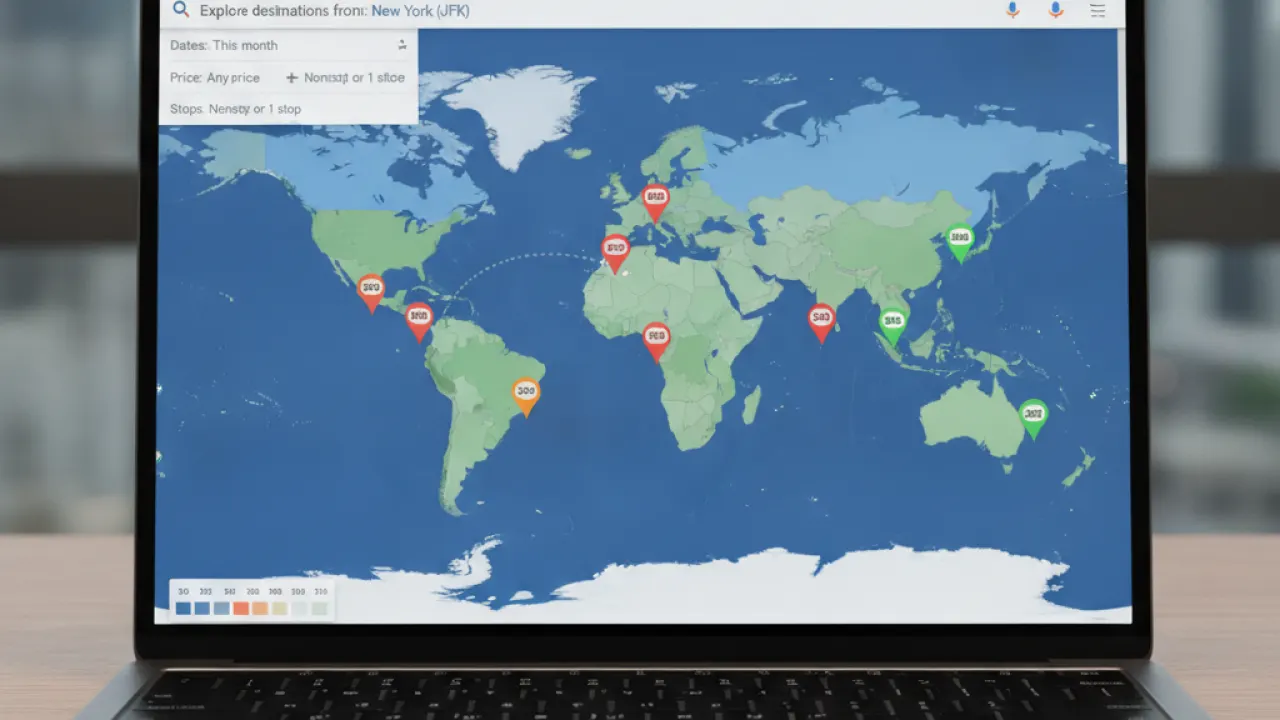
Leave the destination field blank and search from your home airport. Google Flights shows a world map with price bubbles indicating the cheapest flights to various cities. You can filter by region, trip length, and travel dates. Click any destination to see more details.
This works best for spontaneous or budget-first travel. It is how people discover that flights to Lisbon are 60 pounds cheaper than flights to Barcelona this month, or that direct flights to Iceland are currently half the usual price because of an airline promotion.
How to Set Price Alerts
This is one of the most practical features Google Flights offers. Once you have searched a specific route and date, you can turn on price tracking. Google Flights will then monitor that route and send you an email when the price goes up or down.
Setting Up an Alert
- Search for your route and dates on Google Flights.
- Look for the Track Prices toggle at the top of the results page.
- Turn it on. Google will ask you to sign in if you are not already.
- You will receive email updates when prices change significantly.
Alerts are most useful when you are not in a rush and can wait for a price drop. Research consistently shows that flight prices fluctuate, sometimes by hundreds of pounds, in the weeks and months before departure. Watching a route via alerts means you can book when prices dip rather than when you happen to remember to check.

Filters That Save You Money and Time
The filter options on Google Flights go well beyond what most people use. Here is what is worth adjusting for most searches: Similar principles apply when reviewing detailed breakdown of naif police station, where preparation and research make a noticeable difference. Similar principles apply when reviewing detailed breakdown of naif police station, where preparation and research make a noticeable difference.
- Number of stops – Nonstop flights are almost always more expensive. Adding one stop can cut the price by 30 to 50 percent on some routes, though it adds travel time. Use this filter to compare the cost difference quickly.
- Airline – If you have an airline preference or loyalty points to use, filter by carrier to see only those results.
- Duration – If a very long layover puts you off, cap the total trip duration to filter out those options.
- Layover airports – Some layover airports are much less stressful than others. You can exclude specific airports from your results.
- Bags included – If you need a checked bag, filter for fares that include baggage. Low headline prices often exclude bag fees which can add 40 to 80 pounds to the real cost.
- Emissions – Google Flights shows a carbon estimate for each flight. Useful if environmental impact is a factor in your decision.
When to Book for the Best Price
Timing matters. Research from various travel industry sources suggests these general patterns:
- Book domestic flights one to three months before departure for the best balance of price and availability.
- Book international flights two to five months in advance. Popular routes fill up and prices rise as departure approaches.
- Avoid booking in the weeks immediately before departure unless you find a last-minute deal, which is rarer than people think.
- Tuesday and Wednesday departures tend to be cheaper than Friday and Sunday, which are the most popular travel days.
- Early morning flights are often cheaper and less likely to be delayed. They are worth the early start if price matters.
Google Flights shows historical price trends for many routes if you scroll down in the search results. A green indicator means prices are currently lower than usual. Red means they are higher. This gives you context on whether waiting might pay off or whether you should book now.
Comparing Google Flights to Other Search Tools
Google Flights is excellent for route and date exploration. It is not always the absolute cheapest booking option. Once you identify your ideal flight on Google Flights, it is worth checking a couple of other sites before booking.
Skyscanner and Kayak often surface fares from smaller booking agents that do not always appear on Google Flights. The airline’s own website sometimes offers a small discount or added benefits compared to third-party bookings. Checking all three takes ten minutes and can sometimes save more.
For weekend trip planning once you have found affordable flights, this weekend trip planning guide helps you make the most of short breaks. And if you need a full packing list before you head off, the travel packing checklist covers everything you need.

Common Mistakes People Make on Google Flights
A few habits limit how much you save when using Google Flights:
- Only checking one set of dates – The price graph exists to show you where flexibility pays off. Use it.
- Ignoring nearby airports – Google Flights has a setting to include nearby airports. Flying from a secondary airport can save significantly on some routes.
- Not accounting for bag fees – A 50-pound flight with a 40-pound bag fee is not cheaper than a 70-pound flight with a bag included. Always compare total costs.
- Booking immediately without alerts – Setting an alert takes thirty seconds. If you do not need to book today, track the price first.
- Not comparing return vs two one-ways – Sometimes two separate one-way tickets with different airlines cost less than a return ticket on one carrier. Google Flights will sometimes surface this, but it is worth checking manually too.
Frequently Asked Questions
What is the
The how to use google flights is a structured approach designed to give clear, actionable steps that produce reliable results over time.
How do I start with the
Begin with the foundation steps, focus on consistency, and build intensity gradually as the plan progresses.
How long does the how to use google flights take to work?
Most people notice initial improvements within a few weeks, with more meaningful results appearing after 8 to 12 weeks of consistent effort.
Is the how to use google flights suitable for beginners?
Yes. The how to use google flights is designed to be accessible, with progressions and modifications that let anyone start at their current level.
What are the main mistakes to avoid with the
Common mistakes include skipping the foundation phase, expecting overnight results, and not tracking progress consistently.
Quick Reference: Google Flights Features to Use Every Search
- Price graph – Find the cheapest dates on your route.
- Calendar view – Compare prices day by day within your travel window.
- Flexible dates – See cheapest date combinations for round trips.
- Explore map – Find cheap destinations from your home airport.
- Price alerts – Track a route and get notified when prices change.
- Filters – Adjust stops, duration, and included bags to compare real costs.
Google Flights is free, requires no account to use most features, and takes ten minutes to learn properly. That ten minutes can save you hundreds on flights you were going to book anyway.
What feature of Google Flights have you found most useful, or is there one you had not tried before reading this? The how to use google flights works when you follow it consistently. For broader insights, exploring detailed breakdown of china mall ajman will give you actionable takeaways you can apply right away. For broader insights, exploring detailed breakdown of china mall ajman will give you actionable takeaways you can apply right away.
Common questions about the how to use google flights
People often ask whether the how to use google flights works for complete beginners. It does, because every step can be adjusted to match your current level. Start where you are, not where you think you should be.
Another common question is how much time the how to use google flights takes each day. Most people spend between twenty and forty minutes on the core steps. That is enough to make progress without taking over your schedule.
Some readers wonder if they need expensive tools or subscriptions. In most cases, the how to use google flights works with wha
Consistency is the factor that separates people who get results from people who stay stuck. Missing one day is fine. Missing three days in a row is where momentum breaks. This guide shows you how the how to use google flights fits real life.
ay is fine. Missing three days in a row is where momentum breaks.Tracking progress is another habit that helps. Write down what you did, how it felt, and any small wins. Those notes become proof that the how to use google flights is working, especially on days when motivation is low.
Finally, remember that the how to use google flights