



Completing your annual tax submission with HM Revenue and Customs (HMRC) can feel intimidating when you do it for the first time. However, learning how to file a tax return uk step-by-step transforms a confusing task into an organized, stress-free routine.
Whether you have recently launched a sole trader business, started earning money through side hustles, become a residential landlord, or need to report investment gains, submitting an accurate return protects you from harsh HMRC late filing fines. In this beginner guide for 2026, we break down every stage from gathering receipts and claiming allowable expenses to choosing the right forms and paying your bill on time.
1. How to File a Tax Return UK: Overview for First-Time Filers
The UK tax system relies on Self Assessment to collect Income Tax and National Insurance from individuals who earn money outside standard employer PAYE payrolls. Understanding the foundational principles makes the entire process far simpler.
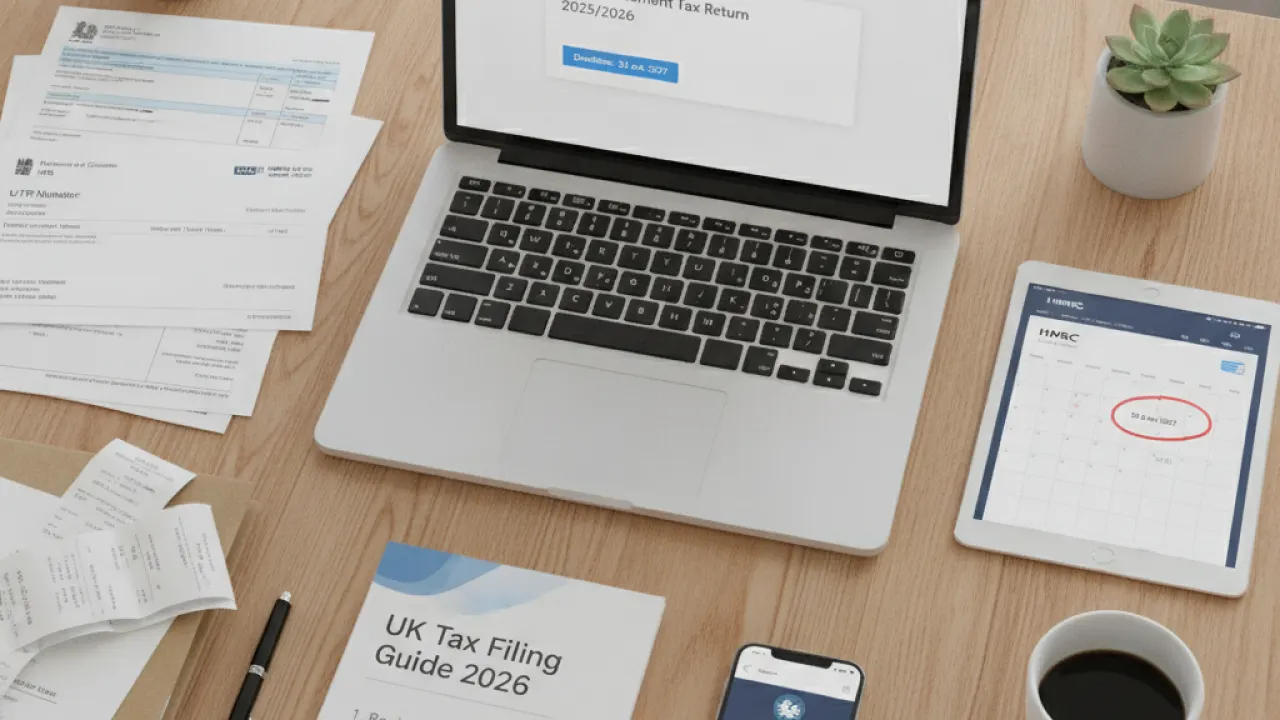
Every tax year runs from 6 April of one calendar year to 5 April of the next. For instance, the 2025/2026 tax year covers all earnings and expenses between 6 April 2025 and 5 April 2026. The final deadline to submit your completed return online and settle any tax owed for that year is midnight on 31 January 2027.
If you are unsure whether your earnings meet the criteria to file, check our detailed companion guide on Self Assessment tax UK rules and thresholds. In general, you must file if your gross self-employment turnover exceeds £1,000, if you receive rental income over statutory limits, if you earn over £150,000, or if you earn over £60,000 while receiving Child Benefit.
| Filing Stage | Statutory Deadline | Key Action Required |
|---|---|---|
| HMRC Registration | 5 October | Register for Self Assessment to receive your 10-digit UTR |
| Paper Tax Return | 31 October | Postal receipt deadline if filing by physical form SA100 |
| Online Return & Payment | 31 January | Submit digital return, pay remaining tax, and pay 1st Payment on Account |
| Second Payment on Account | 31 July | Settle 2nd advance payment toward the ongoing tax year |
2. Step 1: Registering with HMRC and Obtaining Your UTR
You cannot submit a tax return until HMRC knows who you are and assigns you an official tax reference. If you have never filed before, registration is your mandatory first step.
To register, visit the official GOV.UK HMRC online services portal. You will set up a Government Gateway user ID if you do not already have one. You will need to provide your National Insurance number, legal name, date of birth, home address, and basic contact details.
During registration, you must specify your filing status:
- Sole Trader: You work for yourself as an independent contractor, tradesperson, freelancer, or sole business owner.
- Partner in a Partnership: You run a business jointly with one or more partners.
- Non-Self-Employed Individual: You earn untaxed income from residential property letting, dividend investments, trusts, or foreign assets while being employed or retired.
Once your application is submitted, HMRC processes your file and sends your 10-digit Unique Taxpayer Reference (UTR) by post. This letter typically arrives within 10 to 14 working days. You will also receive an activation code to link your UTR with your online Government Gateway account.
3. Step 2: Gathering Your Income and Expenditure Documents
The secret to smooth tax filing is preparation. Sitting down to fill in your return without your documents ready leads to errors and stressful pauses. Before logging in, collect the following records covering the relevant 6 April to 5 April period:
Income Records
- Form P60: If you worked as an employee during the tax year, your employer must give you a P60 by 31 May. This document shows your total gross pay and the exact Income Tax and National Insurance deducted at source.
- Form P45: If you left a job during the year, your P45 details the earnings and tax paid up to your departure date.
- Form P11D: If you received workplace benefits (such as company health cover or a company vehicle), this form lists their taxable value.
- Sales Invoices and Turnover Logs: All invoices issued to clients, POS till rolls, and sales reports from online platforms like eBay, Etsy, Amazon, or Shopify.
- Bank Interest Statements: Annual tax summaries from your banks detailing gross interest earned outside tax-exempt ISAs.
- Dividend Vouchers: Statements detailing dividend payouts from shares or your own limited company.
- Property Accounts: Rental income statements from letting agents or private tenants. If you let property, understanding your legal obligations is vital; review our guide on renters rights and landlord rules.
Expense Proof
- Receipts, till slips, and invoices for every business purchase.
- Business bank account and commercial credit card statements.
- Detailed mileage logs for all business-related journeys.
- Utility bills if claiming actual home office running expenses.
4. Step 3: Claiming Allowable Business Expenses Legally
Deducting allowable business expenses reduces your taxable profit, which directly cuts the amount of tax you owe. However, HMRC strictly enforces the rule that expenses must be incurred wholly and exclusively for business purposes.
If an expense serves both personal and business functions (such as a mobile phone or broadband package), you can only claim the business percentage. Keep clear records explaining how you calculated the split.
| Expense Category | Allowable (Tax-Deductible) | Disallowable (Not Deductible) |
|---|---|---|
| Vehicle & Travel | Business travel to clients, parking, train fares, business mileage (45p/mile) | Daily commuting between your home and regular workplace, parking fines |
| Office & Tech | Stationery, software subscriptions, postage, trade equipment | Personal laptop used by family, personal mobile phone contract |
| Clothing | Protective clothing, steel-toe boots, branded company uniforms | Everyday business suits, smart shirts, shoes (even if worn only for work) |
| Professional Costs | Public liability insurance, accountant fees for tax returns, trade union fees | Legal fees for criminal defence or personal divorce proceedings |
| Staff & Training | Subcontractor wages, training courses updating existing skills | Courses teaching entirely new professions unrelated to current trade |
You can also choose between claiming actual costs or using HMRC simplified flat-rate deductions for vehicle mileage and home working. Claiming 45p per mile for the first 10,000 business miles (and 25p per mile thereafter) avoids calculating depreciation, fuel, servicing, and road tax individually.

5. Step 4: Setting Up Your Government Gateway Return Pages
Once you sign in to your Government Gateway account, select the option to complete your Self Assessment tax return. The system uses an intelligent questionnaire titled “Tailor your return” to activate the exact schedules you need.
The standard tax return is Form SA100. Supplementary schedules are added based on your answers to key questions:
- Were you an employee or director? Answering yes activates schedule SA102 (Employment).
- Were you self-employed? Answering yes activates schedule SA103 (Self-Employment). If your turnover was below £85,000, you can use the simplified SA103S short form.
- Did you receive property income? Answering yes activates schedule SA105 (UK Property).
- Did you sell assets subject to Capital Gains? Answering yes activates schedule SA108 (Capital Gains).
- Did you receive foreign income? Answering yes activates schedule SA106 (Foreign).
- Did you receive partnership income? Answering yes activates schedule SA104 (Partnership).
Taking care during this questionnaire ensures you do not waste time wading through irrelevant tax schedules that do not apply to your situation.
6. Step 5: Entering Employment, Self-Employment, and Other Income
Now that your return is customized, work through each section in logical order:
Employment Section (SA102)
If you were employed during the year, enter the figures exactly as shown on your P60 or P45. Enter your employer’s PAYE reference number, your total pay before deductions, and the exact Income Tax deducted. Do not guess or round these figures; HMRC matches these entries against their Real Time Information (RTI) database.
Self-Employment Section (SA103)
Enter your business description and accounting dates (usually 6 April to 5 April). Enter your total gross turnover. Then enter your allowable expenses. If your turnover is under £85,000, you can choose to enter a single total expense figure or provide an itemized breakdown across office, motor, and advertising costs.
Remember that if your gross turnover is over £1,000 but your actual expenses were very small, you can claim the £1,000 Trading Allowance instead of actual expenses. This is especially advantageous for casual digital workers with minimal overheads.
Other Income and High Earner Charges
Enter any untaxed interest from savings accounts, dividend payments, and state benefits. If you or your partner received Child Benefit and your adjusted net income exceeded £60,000, enter the exact amount of Child Benefit received during the year so HMRC can calculate the High Income Child Benefit Charge taper.
7. Step 6: Claiming Pension Relief and Gift Aid Adjustments
Many filers miss out on major tax refunds by skipping the tax reliefs section. If you make personal pension contributions or donate to charity, you may be entitled to tax relief.
Personal Pension Contributions
If you contribute to a personal pension scheme (such as a SIPP or stakeholder pension) where basic rate tax relief (20%) is added automatically by the pension provider, higher-rate (40%) and additional-rate (45%) taxpayers must claim their extra 20% or 25% tax relief through Self Assessment. Entering your gross pension contributions extends your basic rate tax band, reducing the portion of income taxed at higher rates.
Building strong pension savings is essential for long-term security; check our guide on State Pension rates and qualifying contribution rules to understand your overall retirement outlook.
Gift Aid Donations
If you made donations to UK registered charities under Gift Aid, the charity claims 20% basic relief directly from HMRC. Higher-rate taxpayers can claim back the difference between the basic rate and higher rate on the gross donation amount by reporting it in this section.

8. Step 7: Reading Your Automatic HMRC Tax Calculation
Once you complete all active sections, click “View tax calculation”. HMRC’s software performs a complete calculation of your liability and presents a detailed breakdown:
- Total Income Received: Combines your employment pay, sole trader trading profit, bank interest, dividends, and rental profits.
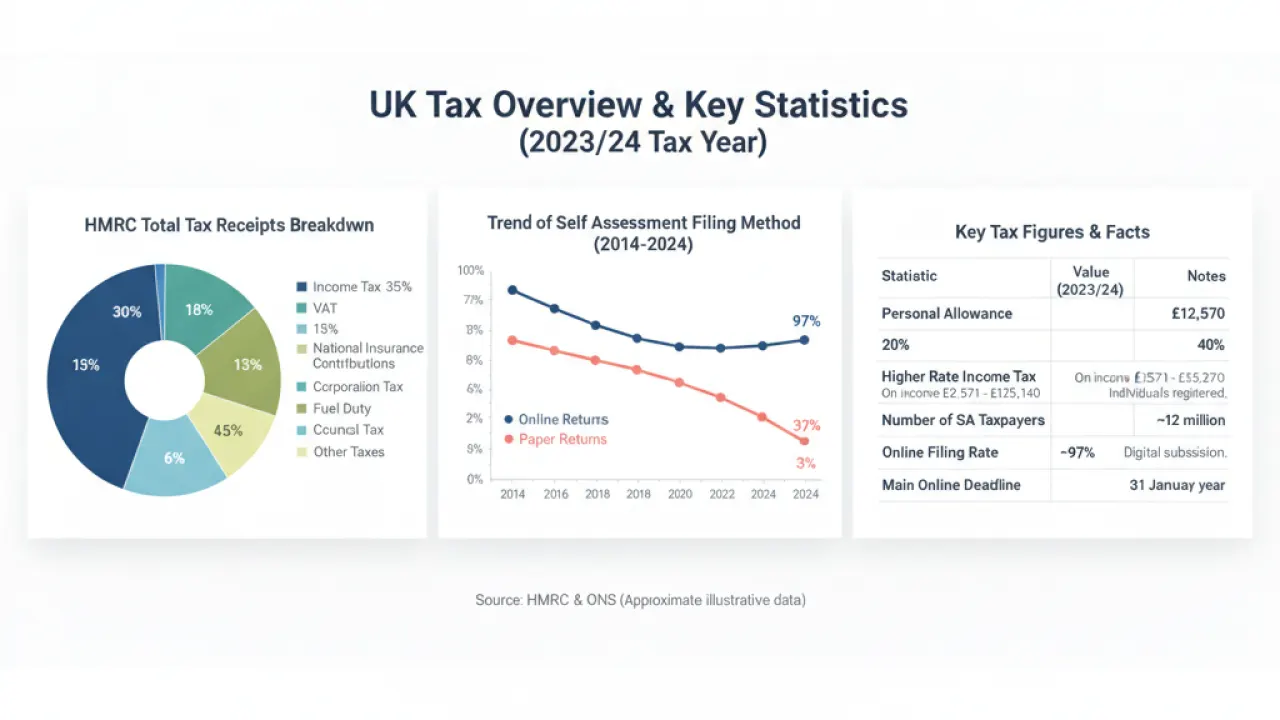
- Personal Allowance Deduction: Deducts your statutory £12,570 Personal Allowance (tapered if income exceeds £100,000).
- Income Tax Bands: Applies the 20% basic rate on taxable income up to £50,270, 40% higher rate on income between £50,271 and £125,140, and 45% additional rate on income over £125,140 (Scottish rates apply different bands).
- Class 4 National Insurance: Applied to self-employed trading profits above £12,570.
- Tax Already Paid: Credits any PAYE tax already deducted by an employer, leaving your net balance due.
Review every line carefully. If any figure looks unusual, you can go back to the relevant section and amend your entries before final submission.
9. Step 8: Understanding Payments on Account and July Bills
One of the biggest shocks for beginners learning how to file a tax return uk is Payments on Account. If your Self Assessment bill comes to more than £1,000 (and less than 80% of your total tax was collected through PAYE), HMRC requires you to make two advance payments toward the next tax year.
Each payment equals 50% of your previous year’s total tax bill. Here is a practical example:
- Your tax and Class 4 National Insurance bill for Year 1 is £3,000.
- On 31 January, you must pay £3,000 to settle Year 1.
- You must also pay your first Payment on Account of £1,500 (50% of £3,000) toward Year 2.
- Your total cash due on 31 January is £4,500.
- On 31 July, you must pay your second Payment on Account of £1,500.
Setting aside 25% to 30% of every client invoice into a separate business savings account ensures you have the funds ready. Maintaining an emergency cash savings buffer helps protect your personal finances when this initial double payment falls due.
If you know for certain that your income in the next year will be lower (for instance, if you closed down a line of business or returned to employed work), you can submit a request through your portal to reduce Payments on Account.

10. Step 9: Final Declaration and Submitting Your Return
Before submitting, download and save a PDF copy of your completed return and tax calculation for your records. Check that your name, address, National Insurance number, and bank details for refunds are completely accurate.
You will be presented with a legal declaration stating that the information provided is correct and complete to the best of your knowledge. To sign the return, enter your Government Gateway user ID and password.
Once you click submit, the screen displays an official Submission Receipt Reference Number. HMRC also sends a confirmation email to your registered address within a few minutes. Save this reference number carefully; it serves as legal proof that you filed before the deadline.
11. Step 10: How to Pay Your Tax Bill Before the Deadline
Filing your return does not automatically withdraw money from your bank account. You must take active steps to settle your tax liability by midnight on 31 January.
HMRC offers several convenient payment methods:
- Approve a payment through online banking: Fast and secure. Sign in to your HMRC account and select online banking. You will be redirected to your banking app to authorize an instant bank transfer with your UTR pre-populated as the payment reference.
- Debit Card: Pay online using a personal debit card (no fee) or corporate credit card (fee applies). Note that HMRC does not accept personal credit cards.
- Direct Debit: You can set up a single Direct Debit payment. Set this up at least five working days before 31 January so HMRC can process the mandate on time.
- Bacs / CHAPS / Faster Payments: Transfer funds manually from your online banking using HMRC’s official sort code and account number, using your 10-digit UTR followed by the letter ‘K’ as the payment reference.
Setting Up a Time to Pay Arrangement
If you cannot afford to pay your full tax bill by 31 January, do not ignore the deadline. If you owe less than £30,000, have submitted your return, and have no other outstanding tax debts, you can set up a formal Time to Pay arrangement online via your HMRC portal within 60 days of the deadline. This spreads your payments into manageable monthly installments over up to 12 months, avoiding aggressive enforcement action.
If your household income is low, check whether you qualify for income top-ups; read our complete guide on how to apply for Universal Credit.

12. What to Do If You Make a Mistake on Your Return
Finding out you entered an incorrect expense figure, omitted an invoice, or forgot to claim pension relief after clicking submit can be alarming. Fortunately, HMRC allows a statutory 12-month correction window.
You have exactly 12 months from the 31 January filing deadline to amend a submitted return. For example, for a 2024/2025 tax return filed by 31 January 2026, you have until 31 January 2027 to submit amendments.
To make an amendment:
- Sign in to your Government Gateway HMRC account.
- Select “Self Assessment online”.
- Choose “More Self Assessment details”.
- Select “At a glance” and choose “Tax return options”.
- Select the tax year you wish to correct.
- Open the return, update the affected sections, and resubmit.
HMRC recalculates your tax bill automatically. If you underpaid, you must pay the difference plus interest. If you overpaid, HMRC will issue a refund directly to your nominated bank account or credit your tax account.
13. Preparing for Making Tax Digital (MTD) for Income Tax
The process of how to file a tax return uk is evolving under HMRC’s long-term digital strategy. Making Tax Digital (MTD) for Income Tax Self Assessment (ITSA) will change how sole traders and landlords record and report their financial data.
Under MTD for ITSA, affected individuals will no longer submit a single annual tax return. Instead, you must:
- Keep digital records of all sales and expenses using MTD-compatible accounting software or spreadsheets connected via bridging software.
- Submit four quarterly digital summaries of income and expenses directly to HMRC.
- Submit a final end-of-period declaration and finalisation statement by 31 January following the tax year.
The rollout follows a phased statutory schedule:
- April 2026: Sole traders and landlords with gross qualifying income over £50,000 must comply with MTD rules.
- April 2027: The threshold drops to include sole traders and landlords with qualifying income over £30,000.
Adopting digital bookkeeping software now ensures your business practices comply smoothly well before these legal deadlines take effect.
14. Frequently Asked Questions
Do I need to file a tax return if my business made a loss?
Yes. If you are registered as self-employed, you must submit a return even if you made zero profit or a financial loss. Declaring your loss is beneficial because you can carry it forward to offset against profits in future years, reducing future tax bills, or offset it against other income in the current year under sideways loss relief rules.
What receipts and records do I need to keep, and for how long?
You must keep all sales invoices, till rolls, bank statements, purchase receipts, mileage records, and P60 forms for at least five years after the 31 January submission deadline of the relevant tax year. HMRC can inspect your records during compliance checks. Digital copies, clear photos, and PDF scans are fully accepted by HMRC.
Can I submit my tax return early?
Yes. You can file your tax return as soon as the tax year ends on 6 April. Submitting early (in May, June, or July) allows you to find out exactly how much you owe months in advance, giving you plenty of time to budget for payment on 31 January. If you are due a tax refund, filing early ensures you receive your refund right away.
What is the penalty if I miss the 31 January deadline?
HMRC charges an automatic fixed penalty of £100 if your return is even one day late, regardless of whether you owe any tax. If your return remains unfiled after three months, daily penalties of £10 per day accrue for up to 90 days (up to £900). Further penalties of 5% of the tax due (or £300, whichever is greater) are charged at 6 months and 12 months late, alongside statutory interest on unpaid tax.
Can I file Self Assessment without hiring an accountant?
Yes. Thousands of sole traders, freelancers, and residential landlords file their own tax returns each year using HMRC’s free online portal. If your affairs are relatively straightforward, following the steps in this guide allows you to file independently and save hundreds of pounds in accountancy fees.
How do student loan repayments work through Self Assessment?
If you have an income-contingent student loan (Plan 1, Plan 2, Plan 4, or Postgraduate Loan), enter your plan details on your return. HMRC calculates your repayment automatically based on your total income above the relevant repayment threshold, and includes this in your January tax bill.
Mastering how to file a tax return uk takes the anxiety out of managing your money. By keeping organized records throughout the year, claiming every legitimate allowable expense, and submitting before the January deadline, you can stay completely compliant with HMRC and keep more of your hard-earned profits.
Have you filed your UK tax return yet this year, or do you have questions about specific allowable expense deductions? Share your thoughts and experiences in the comments below to join the discussion.