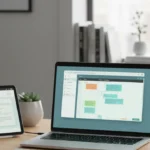



Working from home sounds great until you realise your sofa, your fridge, and your phone are all competing for your attention at the same time. For more background, see Wikipedia reference.
These remote work tips are the ones that actually hold up. Not theory. Not ideal-world advice. Things that work when your home is also your office.
Set Up a Dedicated Workspace and Stick to It – Remote Work Tips

Where you work matters more than most people think. If you work from the couch, your brain starts associating the couch with work. That messes with both your work and your rest.
Pick one spot. Make it your office. Even if it’s just a corner of a room with a desk, a chair, and your laptop. The physical cue tells your brain it’s time to focus.
What makes a good remote workspace
- Good lighting. Natural light is best. If you don’t have it, get a daylight lamp. Poor lighting causes eye strain and kills your mood.
- A proper chair. A bad chair wrecks your posture and your concentration. It doesn’t need to be expensive. It needs to support your back.
- Minimal clutter. A messy desk creates mental noise. Keep only what you need in front of you.
- Consistent location. Use the same spot every day. Your brain will start treating it as a work trigger.
Create a Real Morning Routine

Rolling out of bed and opening your laptop in your pyjamas feels like a win for five minutes. Then the whole day feels off. See also: productivity hacks guide.
A morning routine creates a mental transition from home mode to work mode. It doesn’t need to be elaborate. It just needs to be consistent.
A simple remote work morning routine

- Wake up at the same time every day, including days you don’t have early meetings.
- Get dressed. Actual clothes, not gym wear. It shifts how you feel and how you present on video calls.
- Eat before you start. Don’t skip breakfast and then wonder why your focus drops at 10am.
- Take a short walk before sitting down. Even 10 minutes outside changes your mental state.
- Write your three priorities for the day before opening Slack or email.
This sequence takes about 30 to 45 minutes. It’s worth every minute. See also: home office setup tips.
Set Clear Working Hours and Defend Them

Without fixed hours, remote work bleeds into everything. You’re half-working at dinner. You’re checking Slack at 9pm. You never fully switch off. See
Pick your hours. Block them in Google Calendar. Tell your team. Then stop working when they end. See
This isn’t laziness. It’s how you stay effective over the long term. Burnout from remote work is real, and it usually comes from the boundary between work and life disappearing completely. See also our guide on Improve Mobile Performance.
endar. Tell your team. Then stop working when they end.This isn’t laziness. It’s how you stay effective over the long term. Burnout from remote work is real, and it usually comes from the boundary between work and life disappearing completely.
Protecting your working hours

- Set a start time and treat it like a commute time. Don’t start earlier just because you can.
- Set an end time and close your laptop at that point. Put it away if you have to.
- Turn off work notifications after hours. Slack and email do not need to reach you at 8pm.
- Communicate your hours to your team so they know when to expect responses.
- Create an end-of-day ritual. A short walk, a shutdown checklist, anything that marks the end of work.
Eliminate Distractions Before They Start

At home, distractions don’t just come from your phone. They come from family members, deliveries, household chores you notice, the TV, the kitchen. The list is long.
The best approach is to set up your environment to make distraction hard, not to rely on willpower to resist it.
Practical ways to cut distractions at home
- Use a website blocker like Freedom or Cold Turkey during deep work sessions.
- Put your phone in another room or on full Do Not Disturb during focus blocks.
- Use headphones. They signal to others that you’re busy and help you block noise.
- Tell people in your home your working hours. Make it clear when you’re not to be interrupted.
- Close the door if you have one. Physical separation is the simplest distraction barrier.
- Do one task at a time. Multitasking at home is just switching between distractions faster.
- Keep a notepad for random thoughts. When your brain throws up a non-work idea, write it down and return to work. Don’t act on it.
- Batch household tasks. Do laundry or dishes during your lunch break, not mid-morning. Keep them out of your head during work time.
Use Time Blocking to Structure Your Day

Wite-blocked day

- 8:30 to 9:00: morning routine and daily planning.
- 9:00 to 10:30: deep work block. Your most demanding task. No interruptions.
- 10:30 to 10:45: break. Move your body, get water.
- 10:45 to 12:00: second deep work block or collaborative work.
- 12:00 to 13:00: proper lunch break. Away from your desk. set up your blocks. Treat them like fixed appointments.
- Have a regular check-in with your manager. Even 15 minutes a week keeps you aligned and reduces anxiety about how you’re doing.
- Use video for important conversations. Text is fast but loses tone. Video builds real connection.
- Don’t rely on Slack for everything. Some conversations need a quick call. Know the difference.
- Set specific times for checking messages. Don’t have Slack open all day. Check it at 9am, midday, and 3pm.
- Join a co-working session or virtual focus group. Working alongside others, even online, reduces the isolation feeling.
- Make time for non-work chat. A brief informal video call with a colleague does more for your mood than you’d expect.
- Google Meet or Zoom for video calls. Keep meetings short and purposeful.
- Loom for async video messages when a call would take 20 minutes but a 3-minute video explains it just as well.
- Focus@Will or Brain.fm for focus music designed to keep you in a work state.
- Freedom for blocking websites during deep work.
- A physical timer for Pomodoro sessions. Old-school, but it works.
- A standing desk or desk riser if you can. Alternating between sitting and standing keeps your energy up.
- A good webcam and microphone. Being seen and heard clearly on calls makes a real difference to how you’re perceived by your team.
Stay Connected Without Overdoing It
Remote work can feel isolating. You go from an office full of people to working alone all day. That takes a real toll on your mood and motivation over time.
But the answer isn’t to flood Slack with messages or hop on every optional video call. It’s about quality connection, not quantity. If you are looking to expand your knowledge, reading our complete guide to the best productivity apps for students and professionals provides useful background context. If you are looking to expand your knowledge, reading our complete guide to the best productivity apps for students and professionals provides valuable background context.
How to stay connected without killing your focus
Get Outside Every Single Day
This one gets skipped constantly. And it’s one of the biggest reasons remote workers struggle with energy, mood, and focus.
When you work in an office, you walk to your car, walk to the building, walk to get lunch. All that movement adds up. At home, you can go entire days without stepping outside.
That’s a problem. Sunlight, fresh air, and physical movement all affect your brain directly. They regulate your mood, your energy, and your sleep.
Make it a rule: go outside at least once a day. A 15 to 20 minute walk at lunchtime is enough. Make it a non-negotiable part of your schedule, not something you do when you have time.
You’ll come back sharper. Every time.
Use the Right Tools for Remote Work

You don’t need all of these. Start with the ones that address your biggest pain points. Add others only if a real problem needs fixing.
Frequently Asked Questions
What is the
The remote work tips is a structured approach designed to give clear, actionable steps that produce reliable results over time.
How do I start with the
Begin with the foundation steps, focus on consistency, and build intensity gradually as the plan progresses.
How long does the remote work tips take to work?
Most people notice initial improvements within a few weeks, with more meaningful results appearing after 8 to 12 weeks of consistent effort.
Is the remote work tips suitable for beginners?
Yes. The remote work tips is designed to be accessible, with progressions and modifications that let anyone start at their current level.
What are the main mistakes to avoid with the
Common mistakes include skipping the foundation phase, expecting overnight results, and not tracking progress consistently.
Review and Adjust What Isn’t Working
Remote work isn’t one-size-fits-all. What works brilliantly for one person falls flat for another.
Pay attention to what’s draining you and what’s giving you energy. Review your setup and habits every few weeks. Don’t keep doing things that aren’t working just because they’re supposed to work.
If morning deep work isn’t landing, try afternoons. If a standing desk is hurting your back, ditch it. If Slack is destroying your focus, mute it harder.
The best remote work setup is the one that fits your brain, your role, and your life. Not someone else’s ideal system. Similar principles apply when reviewing practical advice on how to plan your, where preparation and research make a noticeable difference. Similar principles apply when reviewing practical advice on how to plan your, where preparation and research make a noticeable difference.
What’s the biggest focus challenge you face when working from home? Tell us in the comments and we’ll point you to the best fix.

Understanding remote work tips fully helps you achieve better results. The key principles of remote work tips apply consistently across different situations, and the guide below covers them clearly and practically.
Getting the right result requires understanding both the formal requirements and the practical realitworkers face, from concentration issues to isolation, and offer practical solutions that work across different job types and home setups.
Setting clear goals from the start helps you measure progress accurately. Vague aims like building a successful business are less useful than specific targets such as reaching a set number of customers or a specific monthly income within a defined timeframe. Concrete targets make it easier to identify when you are on track and when you need to adjust your approach.
Building systems that work consistently without requiring your constant attention is the key to sustainable growth. The earliest version of your business will depend heavily on your direct involvement, but each system you put in place – for onboarding, invoicing, follow-up, or quality control – frees time for work that only you can do and reduces the risk of things falling through the cracks. For broader insights, exploring practical advice on how to create a vision board that actually works will give you actionable takeaways you can apply right away. For broader insights, exploring practical advice on how to create a vision board that actually works will give you actionable takeaways you can apply right away.
Success in this area is built on consistent daily action rather than occasional bursts of effort. The people who achieve the best results are those who show up regularly, apply what they learn, and make small adjustments based on feedback. There are no shortcuts worth taking, but the compounding effect of sustained effort over months is remarkably powerful.
Success in this area is built on consistent daily action rather than occasional bursts of effort. The people who achieve the best results are those who show up regularly, apply what they learn, and make small adjustments based on feedback. There are no shortcuts worth taking, but the compounding effect of sustained effort over months is remarkably powerful.
Success in this area is built on consistent daily action rather than occasional bursts of effort. The people who achieve the best results are those who show up regularly, apply what they learn, and make small adjustments based on feedback. There are no shortcuts worth taking, but the compounding effect of sustained effort over months is remarkably powerful.
Do you have questions about remote work tips? Leave a comment below. The remote work tips works when you follow it consistently.
Common questions about the remote work tips
People often ask whether the remote work tips works for complete beginners. It does, because every step can be adjusted to match your current level. Start where you are, not where you think you should be.
Another common question is how much time the remote work tips takes each day. Most people spend between twenty and forty minutes on the core steps. That is enough to make progress without taking over your schedule.
Some readers wonder if they need expensive tools or subscriptions. In most cases, the remote work tips works with what you alr
Consistency is the factor that separates people who get results from people who stay stuck. Missing one day is fine. Missing three days in a row is where momentum breaks. This guide shows you how the remote work tips fits real life. Many readers who study this area also benefit from detailed breakdown of goal setting methods that actually work to ensure all key factors are covered. Many readers who study this area also benefit from detailed breakdown of goal setting methods that actually work to ensure all key factors are covered.
e. Missing three days in a row is where momentum breaks.Tracking progress is another habit that helps. Write down what you did, how it felt, and any small wins. Those notes become proof that the remote work tips is working, especially on days when motivation is low.
Finally, remember that the remote work tips